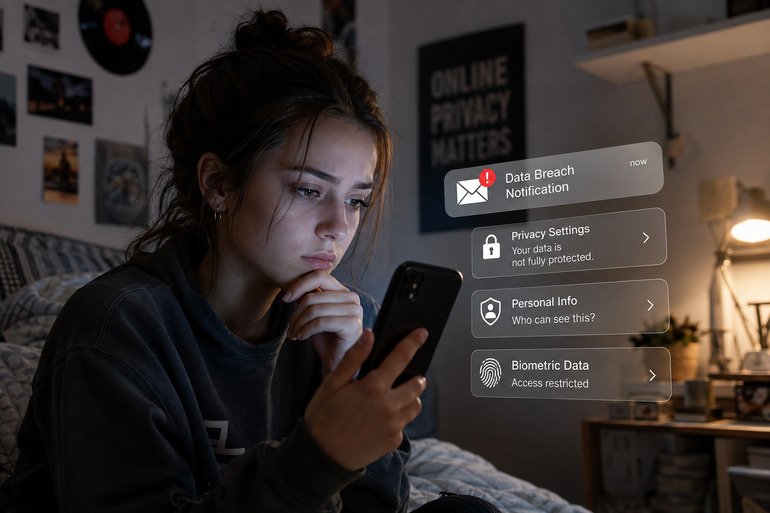



However, if a VPN kill switch is enabled, that interruption may be an intentional privacy measure rather than a connection failure.
Understanding that setting beforehand helps you distinguish an intentional block from a fault that needs troubleshooting. The feature is worth learning even if you prefer a minimal application interface.
You do not need to study network engineering, but you should know what the setting is intended to do and where to check its state.
Understand the Situation It Addresses
A kill switch is designed to help prevent traffic from using a regular internet connection when the VPN tunnel becomes unavailable. Without that protection, some applications may continue using the device’s regular internet connection, depending on the operating system and network configuration.
The important detail is that an interrupted connection and an exposed connection are different outcomes. A person who prioritizes keeping traffic within the tunnel may prefer a temporary loss of access. Someone who does not understand the setting may interpret exactly the same behavior as a broken application.
Read the Description in Your Own App
Providers can differ in what their controls cover and when they take effect. Do not assume that a setting you used in another application behaves identically. Look for information about connection failures and the period before the VPN has connected.
For instance, the PlainVPN Windows VPN includes a kill switch option that users can enable through the application settings. Its Windows page describes it as helping block traffic that would otherwise leave outside the VPN if the connection drops.
Start with the provider’s description and contact support if any specific behavior requires clarification.
Choose an Important Session
Decide how you want to handle interruptions when you have time to read the settings. Changing controls in the middle of a deadline often creates more uncertainty, particularly if you also switch servers or networks at the same time.
If you use a work-managed device, follow the organization’s instructions. Your employer may have its own required VPN and connection controls.
Personal preferences should not override company policies, and an administrator may be the appropriate person to explain how blocked connections are expected to behave.
Know Where to Look When Access Stops
Begin by checking the application’s status display. Is the tunnel connected, reconnecting, or reporting an error? Then check whether the underlying network is available. A disconnected Wi-Fi link cannot carry the VPN connection in the first place.
Reviewing VPN settings alongside general cybersecurity best practices can help users make more informed decisions about their online protection.
Write down what you observe before changing settings. An error message, selected server location, and details about when the problem began can help identify the next troubleshooting step.
Avoid repeatedly toggling several controls because that removes the clear relationship between a change and its result.
Treat Routing Exceptions Separately
Split tunneling introduces another layer of configuration by allowing users to decide which traffic travels through the VPN and which traffic uses the regular connection.
If you have configured exceptions, consult the provider’s explanation of how those rules interact with the kill switch. Do not infer coverage simply because both features appear enabled.
Keep the exception list small and purposeful. If you need a particular application to remain within the tunnel, make that requirement explicit when asking for help.
Clear requirements are easier to verify than a general request for every privacy option to be turned on.
Review Each Operating System Individually
Using a service on two computers does not remove the need to learn each application’s controls. A VPN for macOS may present settings differently from the Windows version. PlainVPN provides kill-switch information on its Mac page as well, making a platform-specific check possible.
Mobile applications should receive the same separate review. Never assume that a desktop feature list describes the configuration of a phone.
Check the supported platform’s own documentation and the relevant operating-system settings before relying on a particular behavior.
Keep the Setting Understandable
If someone else uses the computer, explain why access might pause when the VPN is unavailable. Leave a simple route to the app and its help information rather than asking them to remember a complicated troubleshooting sequence.
A kill switch is most useful when its behavior is intentional and understood. Knowing why you enabled it, what it covers, and how to recognize an interruption makes the feature easier to use responsibly.
That understanding can prevent confusion and make it easier to respond appropriately whenever the network changes or the VPN connection is interrupted.